Get the timing right
Scrub through your video and drag the handles around the few seconds that matter. The preview loops exactly like the GIF will, so there are no surprises later.
Drop in a video, a few photos or a link, and pull out the bit worth looping. Trim it, crop it, slap a caption on it, and you'll know how big the file is before you hit the button.
Add a video or some pictures, or paste a link. You’ll trim and style it in the editor below.
No account, no queue, no watermark. Find the moment, shape it, check the size, download it.
Scrub through your video and drag the handles around the few seconds that matter. The preview loops exactly like the GIF will, so there are no surprises later.
Change the width, frame rate, quality or trim and the estimated size moves with you. Fit to 8 MB will even pick the settings for you. No more making a GIF, finding out it's 30 MB, and starting over.
Square, 16:9, 9:16, 4:5, or just drag the frame wherever you like. The preview shows exactly what you'll get.
Add up to five lines of text, pick a colour and size, and drag each one into place.
Half speed, double speed, backwards, or a boomerang that bounces back and forth forever.
Pick a handful of pictures, drag them into order, decide how long each one stays up, and you've got a slideshow GIF. Clip somewhere else? Paste a link, or just press Ctrl+V.
GIF plays everywhere, so it's the default. When you need something much lighter, the same clip as WebP or MP4 is one click away. APNG is there for crisp, lossless graphics.
No accounts and no watermark. The original is deleted the moment your GIF is made, and the GIF itself is gone after an hour.
Short loops are handy anywhere a still picture doesn't quite say it and a full video is overkill.
Showing beats explaining. Crop to the window, record at 10fps and keep it to a few seconds, so it plays right there in the ticket.
Tip: 720px keeps small interface text readable.Grab the one second that made everyone laugh, put a caption on it and loop it. Keep it small enough that chat apps will preview it.
Tip: 480px at 15fps is plenty for faces.A short loop of a feature actually working says more than a paragraph about it. Crop out everything that isn't the feature and let it repeat.
Tip: use WebP or MP4 if your docs support them.Most email clients won't play video, but they'll all show a GIF. Pick the moment, crop it square or 4:5, and keep it light.
Tip: try to stay under about 1 MB for email.Chop a long recording into short loops, one per step. Slow a fast step down to 0.75× and add a two-word caption so people can follow along.
Tip: 0.5× to 0.75× speed helps with quick steps.A handful of holiday photos, a before-and-after, a product from a few angles. Put them in order, pick how long each one shows, done.
Tip: half a second to a second per photo works well.Drop in a video, paste a link, or pick a few pictures. It starts playing in your browser straight away, so you can hunt for the good part.
Cut it down to the best few seconds. Crop it, caption it, speed it up if you want. The size estimate keeps up as you go.
Hit Create GIF, wait a few seconds, and download it. Then it's ready for the group chat, the ticket, the doc or wherever it's headed.
These are real screenshots from this site, taken with a demo clip. Your own file will give different sizes, but the controls are exactly these.
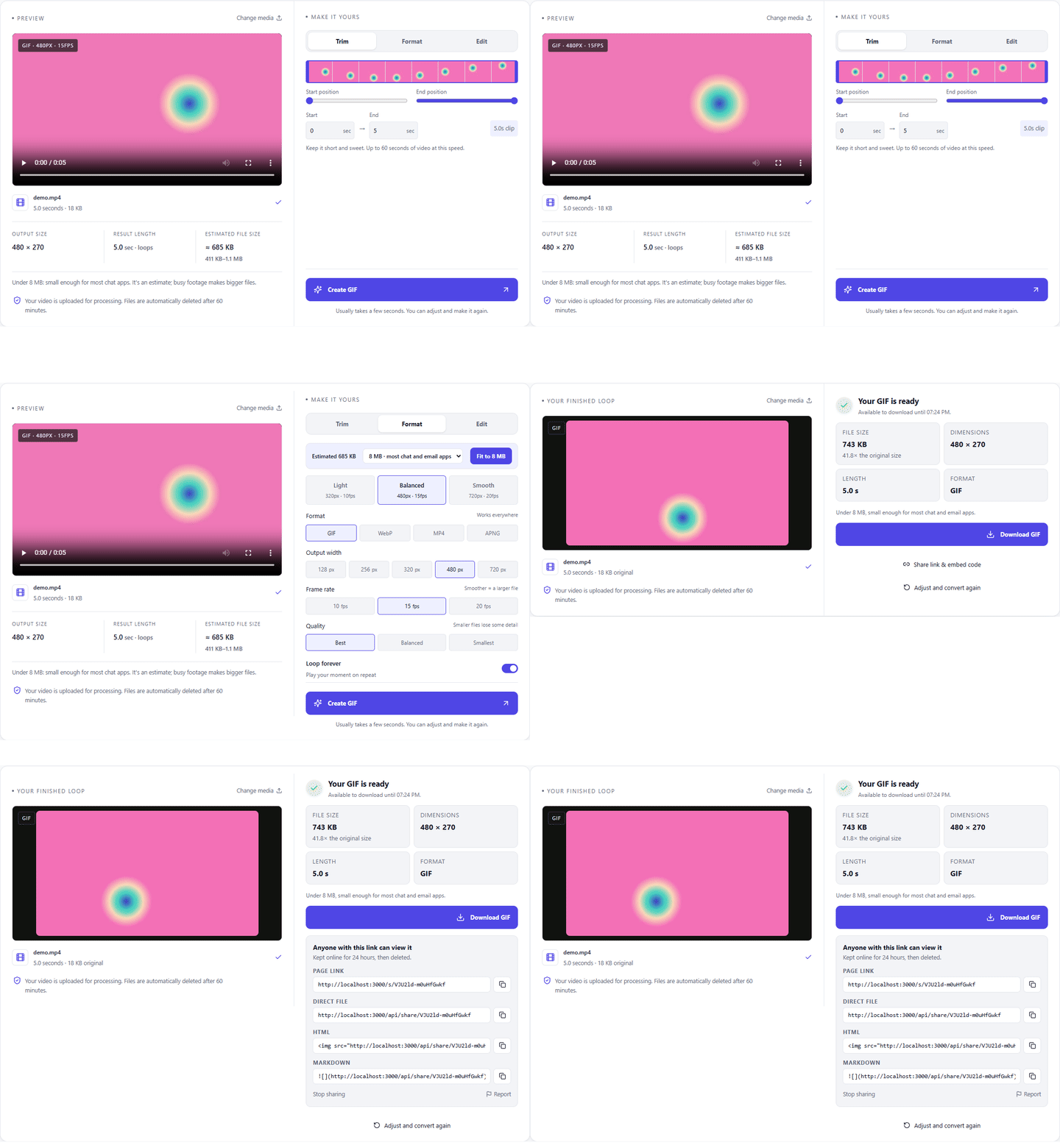
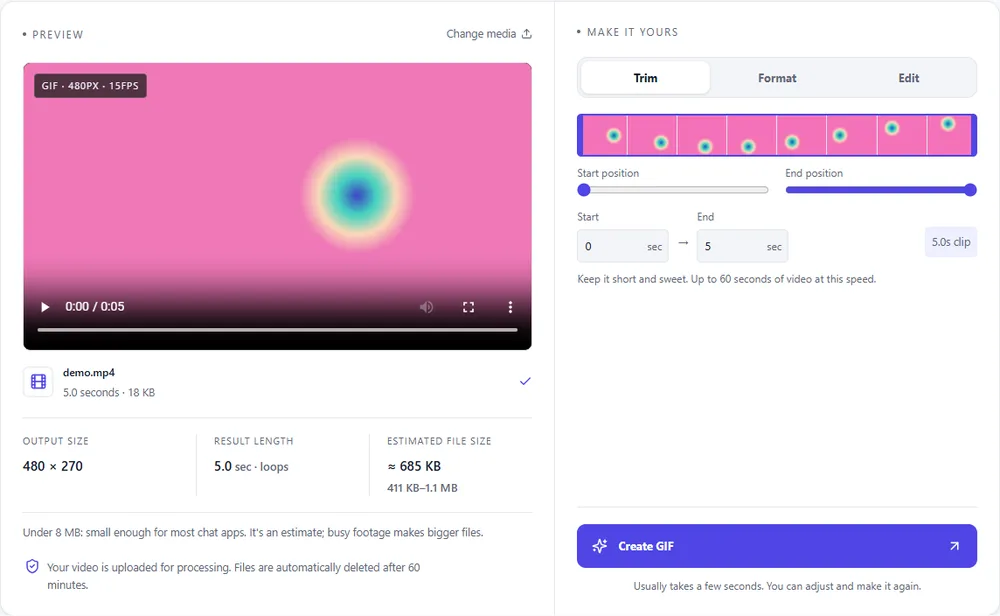
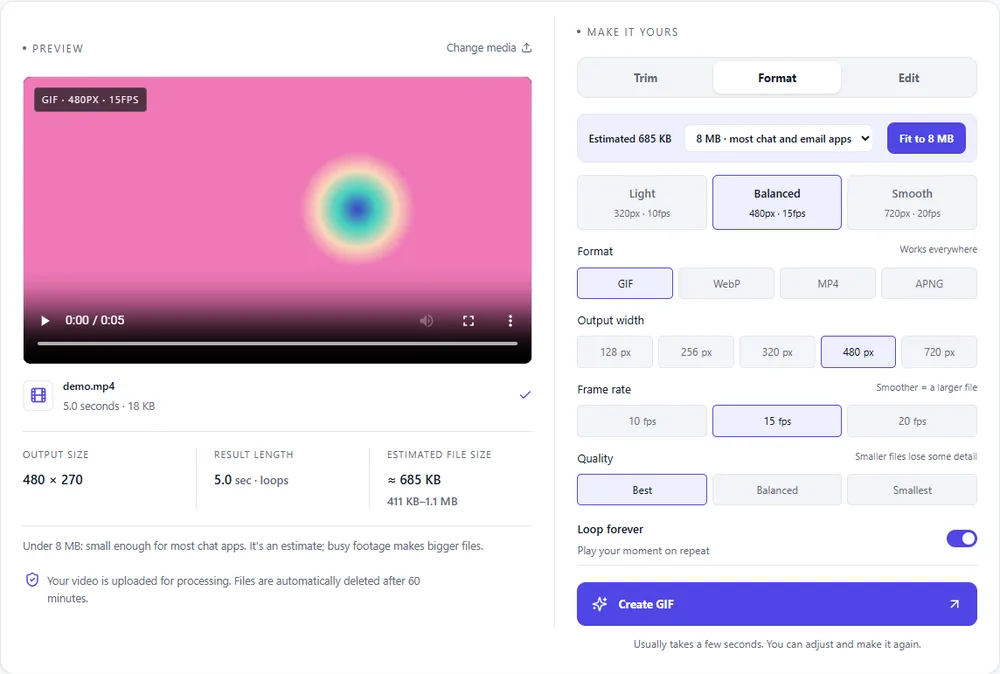
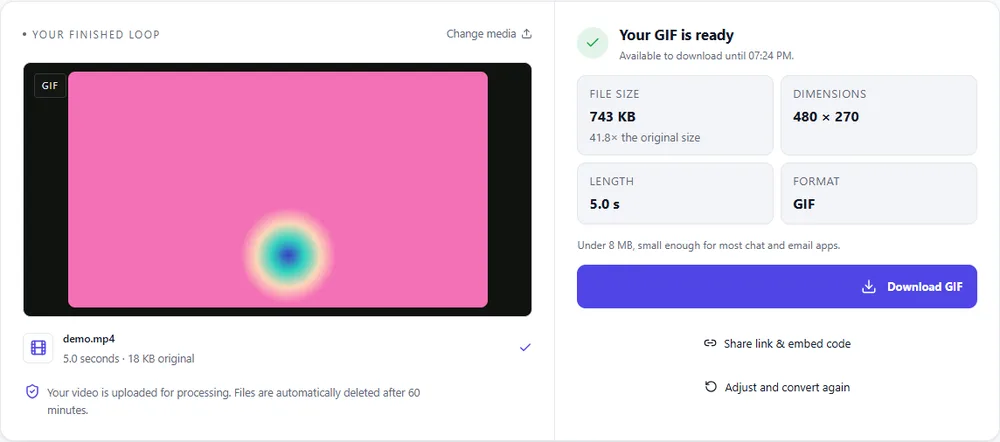
You get a GIF by default, because it plays everywhere. But if size or colour matters more, WebP, MP4 and APNG are one click away. The sizes below are rough comparisons for the same clip; your own numbers show up in the estimate.
| Format | Best for | Typical size | Good to know |
|---|---|---|---|
| GIF | Works everywhere, even old apps and email | Largest | 256 colours, up to 720px and 20fps |
| WebP | Chat apps, websites and docs that support it | About 5× smaller | Full colour, animated, loops |
| MP4 | The smallest files, autoplay in a video tag | About 15× smaller | Up to 1080px and 30fps, no loop flag |
| APNG | Crisp graphics and UI recordings | Larger than GIF | Lossless, full colour, loops |
Can’t find yours? The converter explains problems in plain language as they come up.
Add your video (drop it in, paste it, or paste a link), drag the trim handles around the bit you want, and press Create GIF. If you'd like to crop it, caption it or speed it up, do that first. The size estimate keeps up with every change.
Yes. Pick two or more PNG, JPEG or WebP pictures, drag them into order, and choose how long each one stays on screen. You can add captions or a boomerang too, then make it like any other GIF.
Uploads can be up to 100 MB and the GIF can be up to 60 seconds. But honestly, the best GIFs are two to six seconds long, because the file grows with every second and every pixel. Speed changes and boomerang count towards the length.
Shorten it first. That saves the most and doesn't cost any quality. Then drop the width or frame rate, crop out what you don't need, or pick Smallest quality. Fit to 8 MB will do the balancing for you, and switching to WebP or MP4 can shrink it many times over.
It's built from measurements of real conversions and shown as a range, because busy footage always ends up bigger than calm footage. After your first export it learns from the real file, so a second go at the same video is a lot closer.
It goes to our servers just long enough to make your GIF. The original is deleted the moment the job finishes (or fails, or you cancel), and the finished file is gone after an hour. We don't post anything and there are no accounts. The privacy policy has the details.
It's free, there's no watermark and you don't need to sign up. There's an hourly limit per browser, just so nobody can hog the servers.
It's free, there's nothing to sign up for, and your files are gone within the hour.